Best Pocket WiFi at Haneda Airport: All Rental Counters in Terminal 2 and 3
If you land at Haneda Airport (HND) without internet, you can rent a pocket WiFi router on the day, without booking in advance. Staffed counters that serve arriving travellers accept same-day customers, and two self-service machines run 24 hours.
Almost everything is in Terminal 3, on the 2F arrival floor. There are only two things to watch out for: same-day stock is never guaranteed, and the staffed counters are closed late at night.
Opening hours and rental conditions below come from each operator's own website, or from our own enquiries, and were checked in September 2026. Hours change. Please check the operator's website for current opening hours before you travel.
Your best pocket WiFi option at Haneda Airport depends on your arrival time and terminal
Find your situation below.
- You already booked online: just collect your device. No queue, no paperwork at the airport.
- You did not book, and you land at Terminal 3 between 06:00 and 23:45: go to the 2F Arrival Lobby. Three staffed counters are there and all of them take same-day customers.
- You did not book, and you land at Terminal 2 between 06:00 and 23:00: go to the counter inside the Welcome Center on 2F.
- You land very late at night: the staffed counters are closed, but two self-service machines on 2F of Terminal 3 run 24 hours.
Same-day rental works, but it depends on stock. No company will hold a device for someone who has not booked, and on busy days they do run out. If your trip is still a few days away, booking online first removes that risk.
Where to rent pocket WiFi at Haneda Airport, terminal by terminal
Terminal 3: the main place to rent pocket WiFi at Haneda Airport
Terminal 3 handles most international flights. If you see older guides calling this building the "International Terminal", it is the same place — Haneda renamed it Terminal 3 in March 2020, and all signs and station names now say Terminal 3.
Everything you need is on 2F, the arrival floor. You do not have to carry your luggage upstairs.
There are more counters on 3F, the departure floor, but they mainly serve travellers leaving Japan for a trip abroad. Some of them do also rent devices for use inside Japan, but there is no reason to carry your luggage upstairs when you have just landed. If you are renting on arrival, 2F is where it happens. The airport's own list includes XCom Global (Imoto no WiFi) among the 3F counters, and that brand in particular is best known as a rental service for people flying out of Japan.
Pocket WiFi at Haneda Terminal 2: useful for a connecting domestic flight
Terminal 2 handles domestic flights and some international flights. There is one counter for arriving passengers, and one upstairs on the departure side.
Terminal 2 is the better choice in two situations. First, if you arrive at Terminal 2 and connect straight onto a domestic flight to another Japanese city, you can pick up a device without leaving the terminal. Second, Terminal 2 is quieter than Terminal 3, so the queue is usually shorter.
Whichever terminal you arrive at, you do not need to go to Terminal 1. It is a domestic terminal with no staffed WiFi counter.
Landing late at night at Haneda Airport
The staffed counters close by 23:45. After that, the only way to rent inside the airport is a self-service machine.
There are two of them, both on 2F of Terminal 3 and both open 24 hours: the AnyFone JAPAN WiFi machine outside its store, and WiFiBOX. You apply on your phone at the machine and it dispenses the device.
The trade-off is that nobody is there. If the plan conditions are unclear, or the device does not work, you are on your own until the counters open in the morning. If you know your flight lands after 23:00, this is the single strongest reason to arrange a device before you fly.
Moving between terminals at Haneda is easy
If the counter you want is in another terminal, getting there is simple. A free shuttle bus connects the terminals, and the Keikyu Airport Line and the Tokyo Monorail also link Terminal 3 with Terminals 1 and 2. Allow about 15 to 20 minutes, including waiting time. The airport sets out every route, with times and boarding points, on its official page on travelling between terminals.
Can you rent pocket WiFi at Haneda Airport without booking?
Yes. Every counter and machine listed above accepts same-day customers. This is the part other guides rarely confirm, so here is what applies at each one.
What "same-day" does not mean is "guaranteed". It depends on what is left in stock, and no operator will reserve a device for someone who has not booked. Treat same-day rental as a backup, not a plan.
Pocket WiFi rental companies at Haneda Airport
Below is a short profile of each operator that serves arriving travellers. We do not copy their prices here. Rates change with the season, the length of the rental and early booking discounts, so a price written into a blog post becomes wrong within months. Check each operator's own website for current rates.
NINJA WiFi at Haneda (the same counter as GLOBAL WiFi)
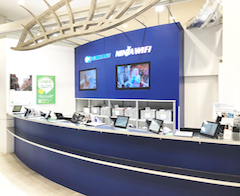
This is one counter with two brand names, and the difference matters. NINJA WiFi is the service for visitors coming to Japan. GLOBAL WiFi is the service for people leaving Japan to travel abroad. They share the same desk, so the sign shows both — but if you want internet in Japan, apply through NINJA WiFi.
At Haneda it covers both Terminal 3 and Terminal 2 on the arrival side, which no other brand does, and applications are accepted up to and including your pickup day. If you booked in advance, you can also collect from a pickup locker on 2F of Terminal 3 and skip the counter queue.
Returning is covered around the clock, but in two different places. The counter takes returns during opening hours; between 23:45 and 06:30 you use the return box at the JAL ABC counter, also on 2F of Terminal 3. Other operators have their own return boxes nearby, so check the sign before you drop anything in.
AnyFone JAPAN
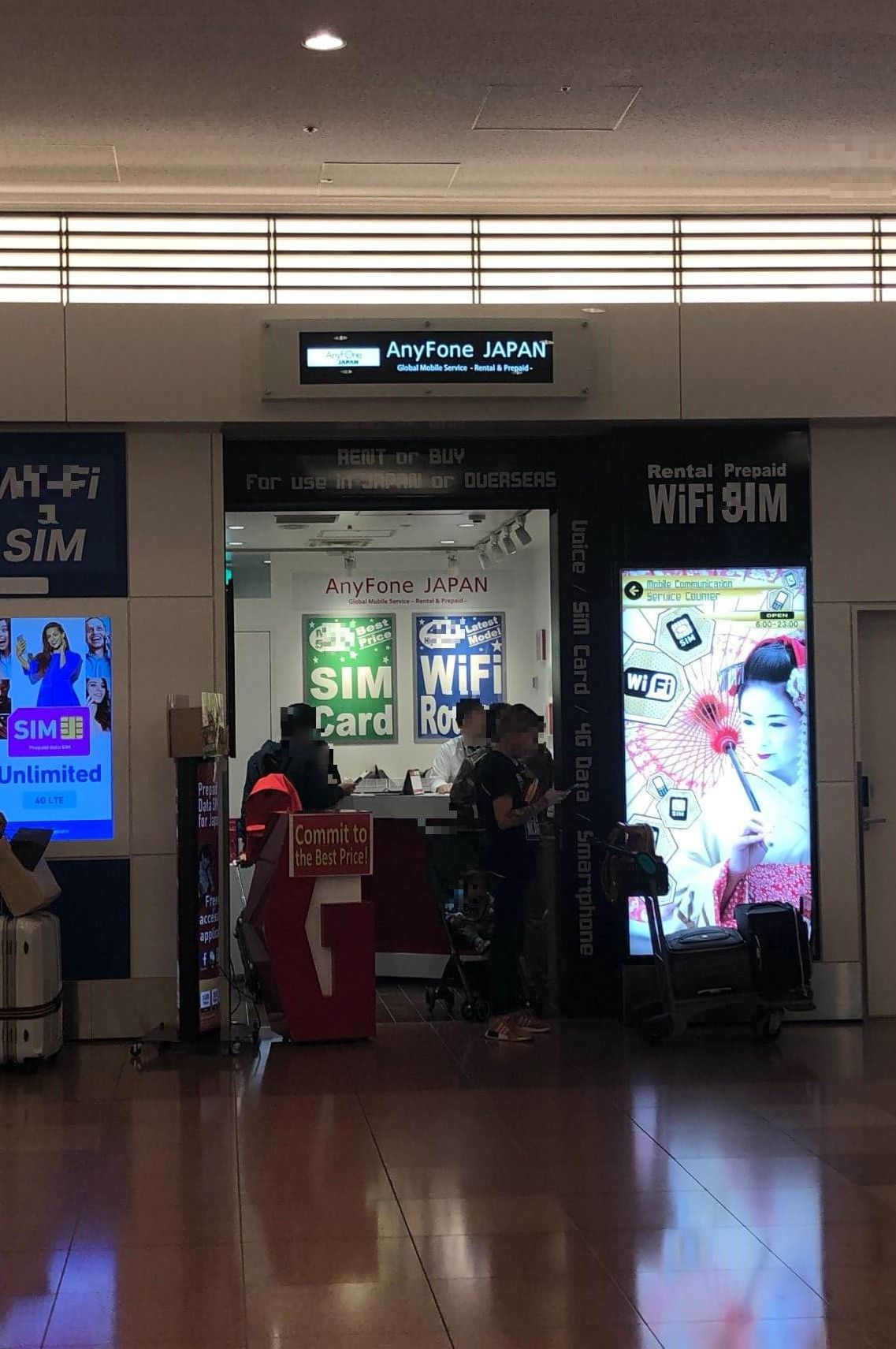
AnyFone JAPAN has a staffed counter in the Terminal 3 2F Arrival Lobby and a self-service machine outside the store that runs 24 hours. It also sells prepaid SIM cards, so you can compare a router and a SIM at the same place. Its full name is AnyFone JAPAN powered by SoftBank Global Rental.
Three conditions are worth knowing before you choose it:
- The minimum rental is three days. If you return the device after one or two days, you still pay for three. For a very short trip, this can make it the wrong choice.
- Only the person named on the booking can collect the device, under Japanese law on mobile phone rental. Bring your passport, and do not send a travel companion to pick it up for you.
- Returns are accepted 24 hours through its return box.
Mobile Center (Telecom Square)
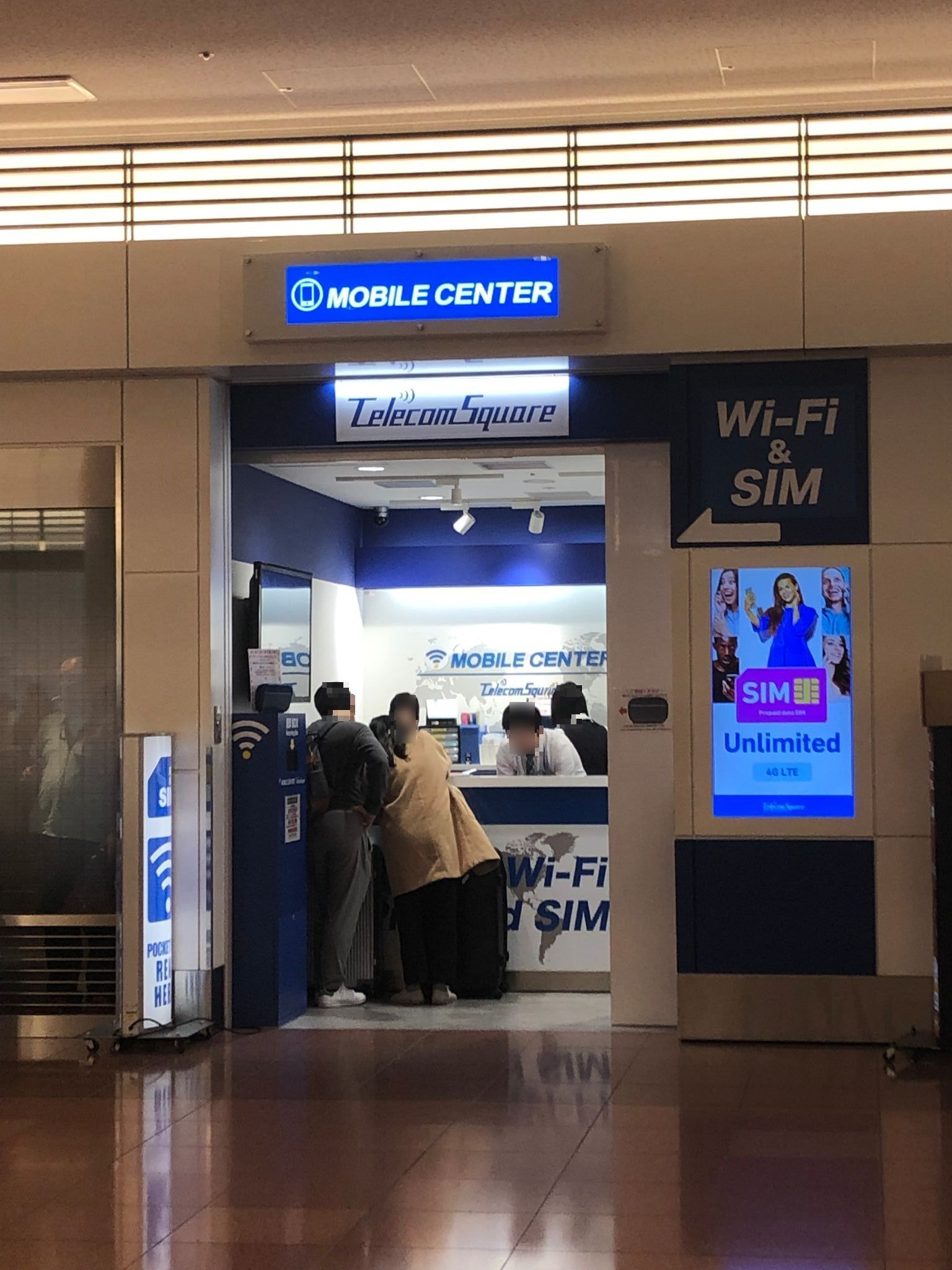
Mobile Center has the widest physical presence at Haneda: counters in Terminal 3 on both 2F and 3F, and one in Terminal 2. You can collect a device at any of its Haneda counters and rent on the spot if stock allows, and English-speaking service is available. It also operates WiFiBOX, so it is the only operator here covering both staffed and 24-hour unmanned rental. It rents devices for use in Japan and abroad, so say you need a plan for use inside Japan.
Self-service machines (24 hours)
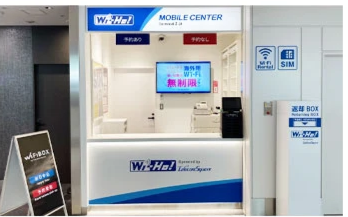
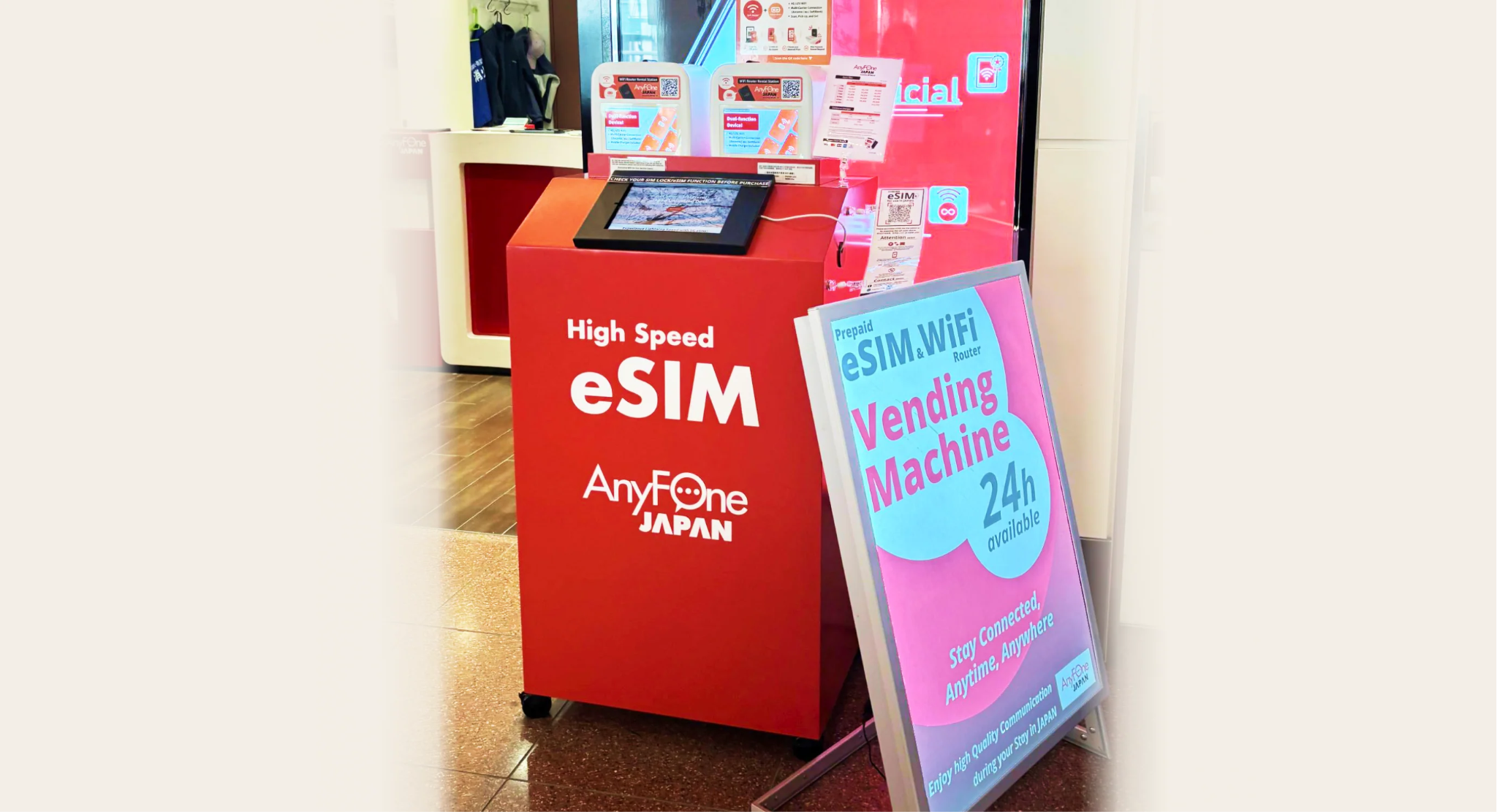
Two unmanned machines on 2F of Terminal 3 run around the clock: the AnyFone JAPAN WiFi machine outside its store, and WiFiBOX. You apply on your phone at the machine, it dispenses the device, and with WiFiBOX you can return it to a different machine somewhere else in Japan.
They are the reason a late arrival is not a dead end. The trade-off is that there is nobody to ask about the plan conditions before you take the device.
English is available at the staffed Haneda WiFi counters
The staffed counters in Terminal 3 and Terminal 2 exist mainly to serve international travellers, so basic rental questions in English are not a problem.
One thing to keep in mind at any counter: the fine print is usually on a printed sheet, and you are expected to read it. Minimum rental periods, speed limits, damage liability and late return fees are rarely explained in full unless you ask. If you are not sure what happens when you use a lot of data, read the next section before you sign anything.
"Unlimited data" at Haneda Airport: what to ask before you sign
If a rental company tells you a plan is "unlimited", ask what happens after heavy use. This is the most common misunderstanding among travellers renting in Japan.
A fair usage policy (FUP) is a rule that lets a plan slow your connection down after you pass a certain amount of data — for example, after a few gigabytes in a single day. Your internet is not cut off, but the speed can drop enough to make video streaming or large uploads painful. Where a daily cap applies, it usually resets the next day.
Conditions differ a lot between companies, and "unlimited" is used to mean different things. Before you rent, ask these three questions:
- Is there a daily or total data cap on this plan?
- If I pass it, is the speed reduced, and by how much?
- Does the limit reset the next day, or does it last for the whole rental?
A company that answers clearly is more trustworthy than one that just repeats the word "unlimited".
Renting at a Haneda counter vs booking pocket WiFi online
Both work. The difference is how much is decided before you land.
The strongest argument for booking online is the late-night arrival combined with the stock problem. A device waiting at your hotel removes both, and the queue as well. If your trip is still a few days away, see our pocket WiFi plans before you decide to leave it until you land.
How to return pocket WiFi at Haneda Airport
There are two return methods, and they are not interchangeable. Use the one your rental company tells you to use.
1. Return to the counter or return box. If you rented at an airport counter, you normally hand the device back to the same operator. Check the closing time before your departure day, because a device returned late is usually charged as an extra rental day. Several operators have a return box on 2F of Terminal 3 that works 24 hours, which is useful for a very early flight — but only for their own customers, so confirm which box is yours.
2. Return by post. Some companies, including ours, give you a prepaid return envelope. You put the router and all accessories inside and drop it into any red post box in Japan. There is no counter to find and no queue, and you can do it in the city instead of at the airport.
Two things to be careful about with post box returns:
- Post boxes are not on the arrival floor, and there are none inside the gate area. In Terminal 3 they are on 1F in the Entrance Plaza and on 3F in the Departure Lobby, both before the security check. Once you pass security you cannot post anything, so do it before you go through — or simply post it in the city the day before.
- Return everything. Cables, the battery pack and the pouch are usually part of the rental. A missing accessory is normally charged.
If you fail to return the device before you fly home, your only option is shipping it back from your own country at your own cost. That is expensive, so build the return into your departure day plan.
Pocket WiFi, SIM card or eSIM at Haneda Airport?
The key difference is that a pocket WiFi is rented and must be returned, while a SIM card or eSIM is bought and is yours to keep. That one difference changes how much effort each option costs you.
- Pocket WiFi — a small router you carry. Our devices connect up to 14 devices at once and come with a free power bank, so you are not hunting for a socket at lunchtime. It works with any WiFi-enabled phone, tablet or laptop, whatever network it is locked to. You do have to carry it and return it.
- SIM card — a physical card you put in your phone. Nothing to return and nothing extra to carry. Your phone must be SIM-unlocked, meaning it is not locked to your home carrier. It connects one device only.
- eSIM — a digital SIM you install by scanning a QR code, so there is no delivery and no pickup at all. Your phone must support eSIM and be SIM-unlocked. It also connects one device only.
For a family or a group, one pocket WiFi is normally far cheaper than the alternatives, because everybody shares a single connection instead of buying a SIM each or paying their own carrier's roaming charges. For a solo traveller with a modern unlocked phone, an eSIM is the least trouble, and a prepaid SIM card is a good middle ground if your phone does not support eSIM.
How to get an eConnect Japan pocket WiFi for your Haneda arrival
We do not operate a counter at Haneda Airport. Instead, we deliver the device to where you will be, and you post it back at the end of your trip.
Our pocket WiFi plans run on the SoftBank 4G/LTE network and include a free power bank. Prices below are tax included, as of September 2026.
These "from" prices are based on a 30-day rental, so a shorter trip costs more per day. Check the plan page for the exact total for your dates. On the Unlimited plan there is no daily or monthly cap and we do not throttle your speed; as with any mobile service in Japan, the network provider reserves the right to restrict speeds in cases of very heavy use in a short period.
Where to receive it
- Your hotel, guest house, ryokan or any address in Japan — the device is waiting when you check in.
- Haneda Airport Post Office — Terminal 1, 1st Floor. Show your passport to collect. Opening hours are Monday to Friday, 09:00 – 17:00, closed on Saturdays, Sundays and public holidays.
- Any other post office in Japan, if that suits your route better.
For a Haneda arrival, we recommend hotel delivery, not airport pickup. Because we have no airport counter, collecting at Haneda means going to the post office in Terminal 1 — and international flights arrive at Terminal 3, so that is a detour with your luggage. The post office is also closed in the evening and at weekends. Hotel delivery avoids all of that: the device is already there, whatever time your flight lands.
Returning is by post. Put everything in the prepaid envelope we provide and drop it into any red post box in Japan by your return date. You do not need to go back to an airport counter.
Ordering at least a few days before your trip gives you the widest choice of pickup options, and it means you are not relying on whatever stock is left at a counter. You can compare our pocket WiFi plans and prices here.
FAQ: pocket WiFi at Haneda Airport
Can I rent pocket WiFi at Haneda Airport without booking?
Yes. Every counter and self-service machine that serves arriving travellers accepts same-day customers. What none of them can do is guarantee a device is still in stock when you get there.
Which terminal at Haneda has pocket WiFi counters?
Terminal 3 has the most, all on the 2F arrival floor. Terminal 2 has one counter for arrivals, inside the Welcome Center on 2F. Terminal 1 is a domestic terminal with no staffed counter.
What if I land at Haneda very late at night?
The staffed counters close by 23:45. Two self-service machines on 2F of Terminal 3 run 24 hours, so you can still get a device — you just have to set it up yourself.
NINJA WiFi or GLOBAL WiFi — which one do I use?
They share a counter, but NINJA WiFi is the service for visitors using internet inside Japan. GLOBAL WiFi is for people leaving Japan for a trip abroad. Apply through NINJA WiFi.
Is Haneda's free airport WiFi enough?
It is fine for checking messages inside the terminal, but it stops at the door. For maps, trains and translation once you leave the airport, you need your own connection.
Pocket WiFi at Haneda Airport: the short version
If you want to rent on the day you land, go to the 2F arrival floor of Terminal 3. Three counters are open there from 06:00 to 23:45, two self-service machines run 24 hours, and Terminal 2 has one counter for arrivals. Same-day rental is accepted everywhere, but no operator can hold a device for someone who has not booked.
That last point is the whole argument for sorting it out before you fly. With us, the device is delivered to where you are staying. Whatever time you land and whichever terminal you arrive at, it is there when you check in — no queue, no stock to worry about, and no detour with your luggage. If you would rather have it sorted before your trip, see the pocket WiFi, SIM and eSIM options from eConnect Japan.