How to Set Up Pocket WiFi in Japan, Even If the Screen Is in Japanese
Many travellers are surprised to find that the display on pocket WiFi devices in Japan is set to the Japanese language by default. However, you can easily set it up by following the steps in this blog.
Simply turn on the device and check the network name (SSID) and password displayed on the screen. Then, select that network on your phone and enter the password. There is no app to install and no phone setting to change.
All information about eConnect Japan products is correct as of September 2026.
How to Set Up Pocket WiFi in Japan in Three Steps
Let’s take a look at how to set up the pocket WiFi devices actually provided by eConnect Japan.
Step 1: Turn On the Pocket WiFi Router
Press and hold the power button on the top edge of the router, in the middle, until the screen lights up. If nothing happens, please charge it, wait a few minutes, and try again.
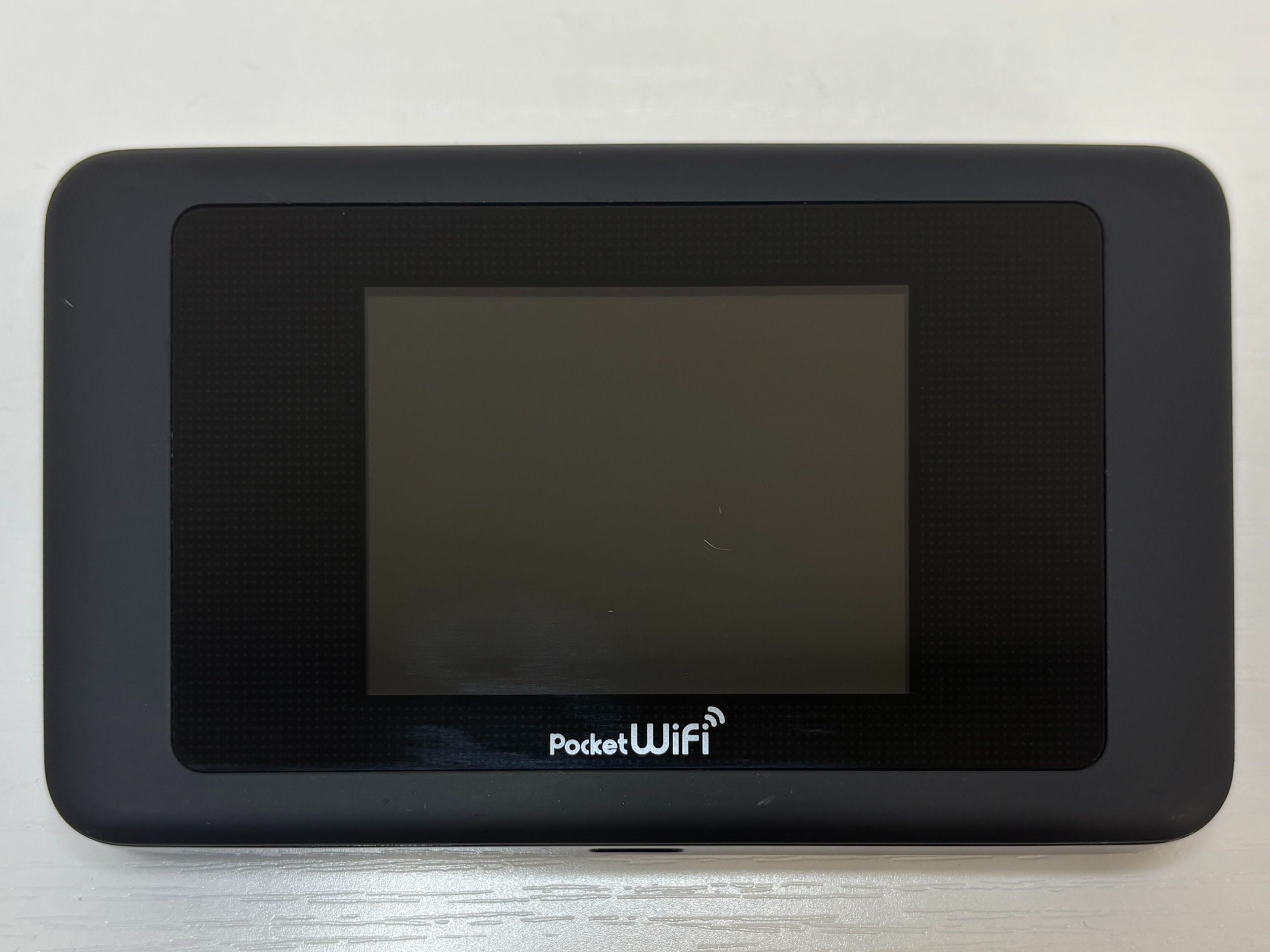
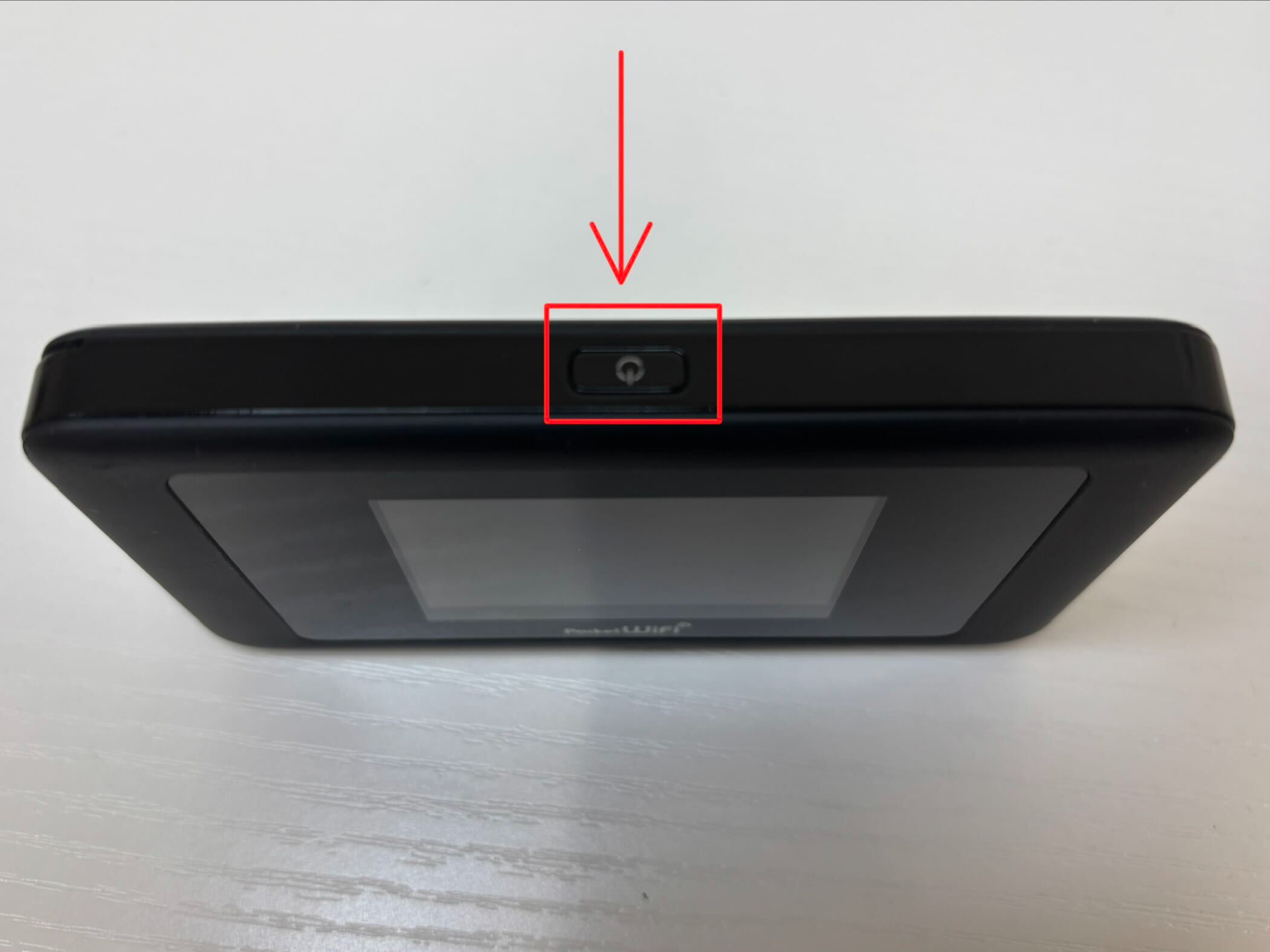
Step 2: Find the Pocket WiFi SSID and Password on the Screen
Scroll up on the screen to unlock it.
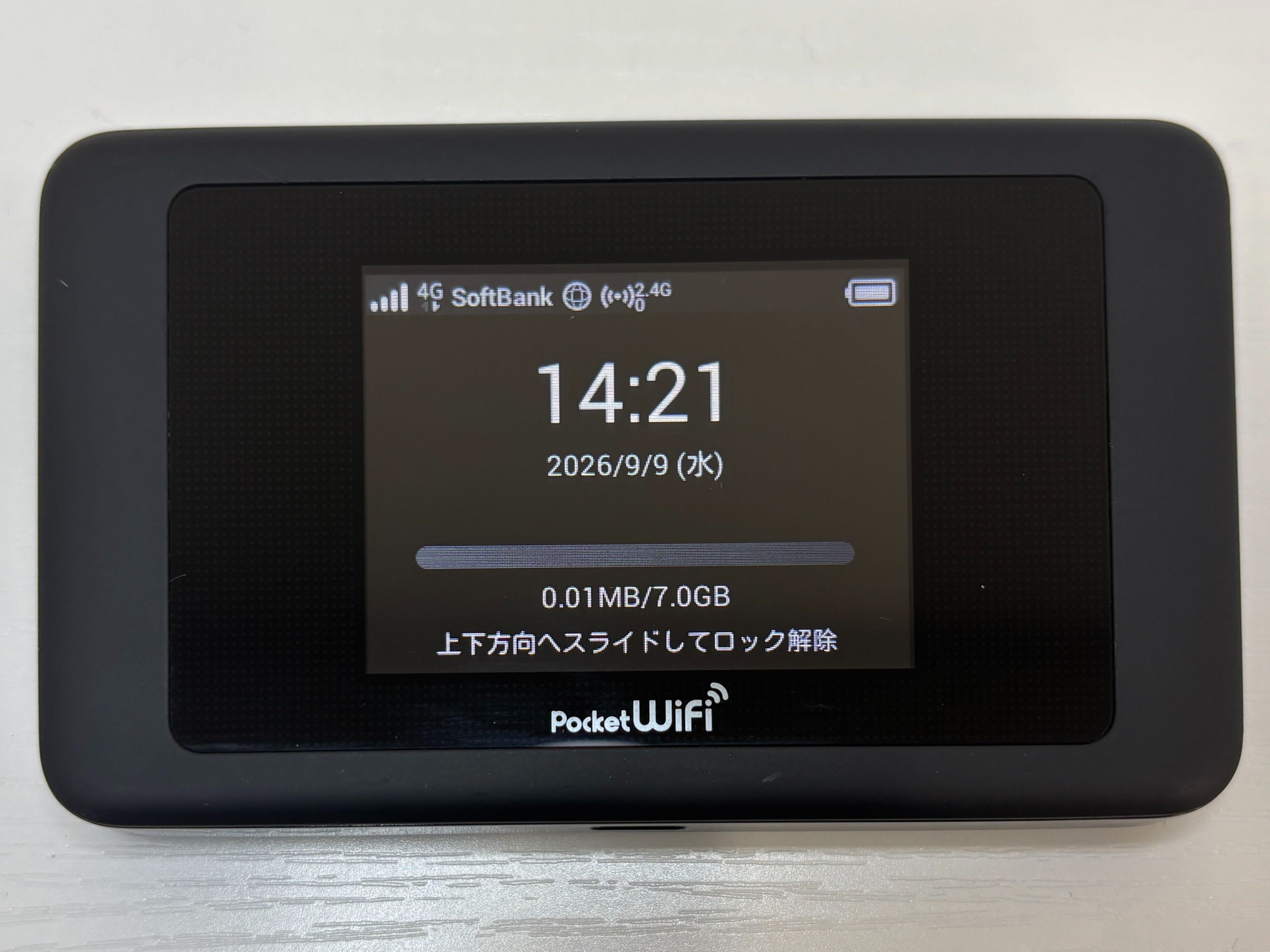
A menu of six colored tiles appears.
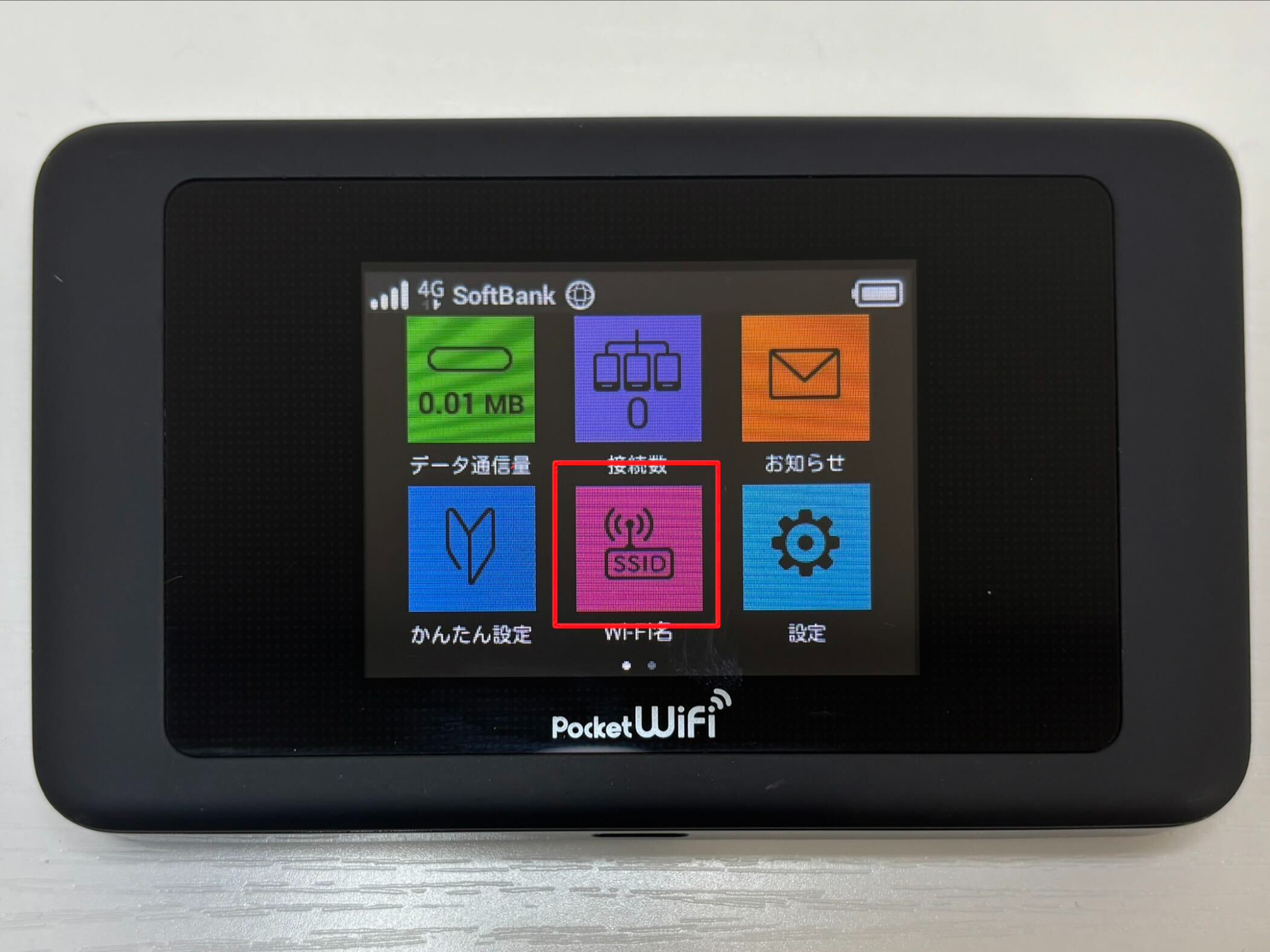
Tap the pink tile [SSID] in the middle of the bottom row.
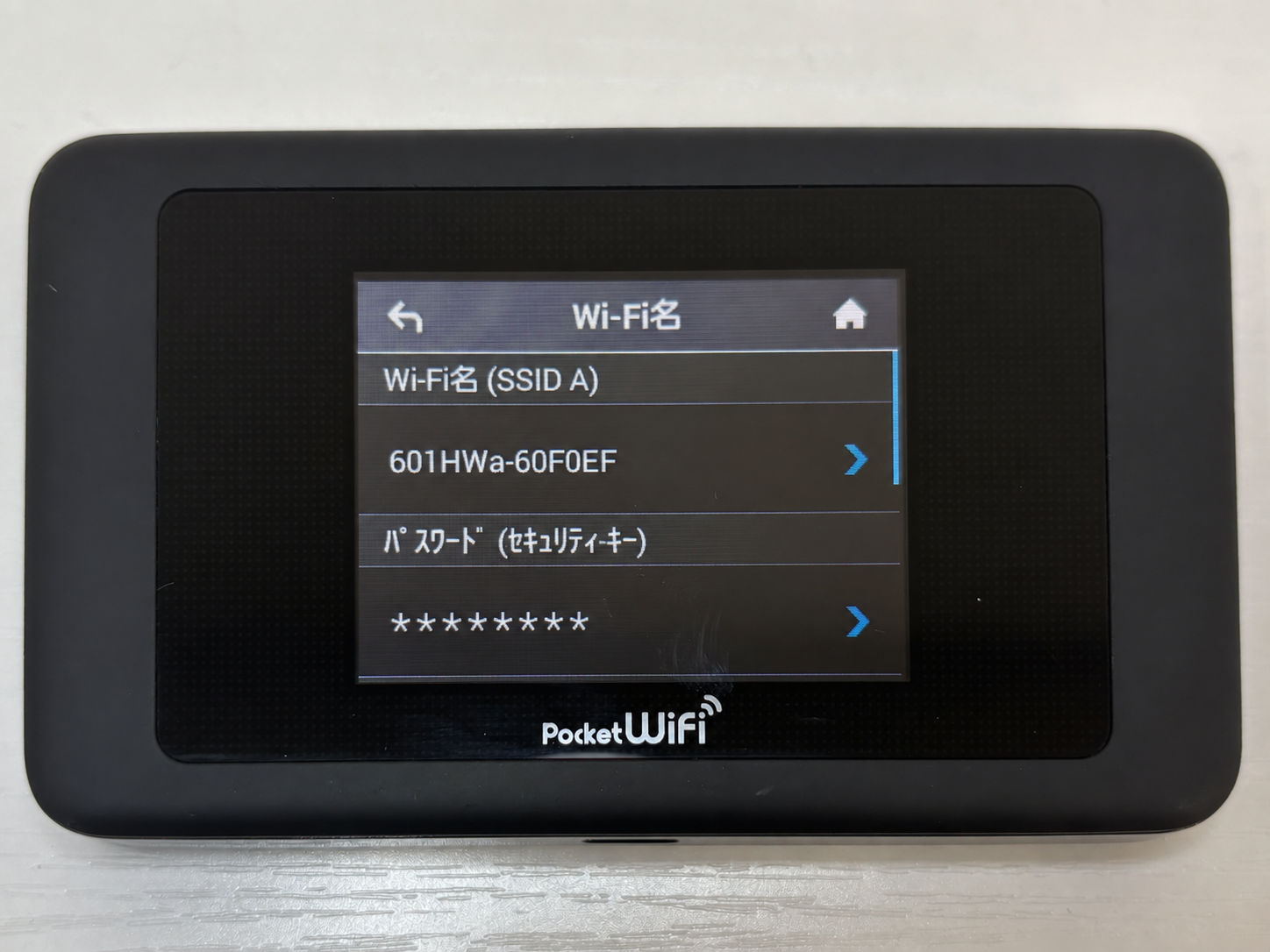
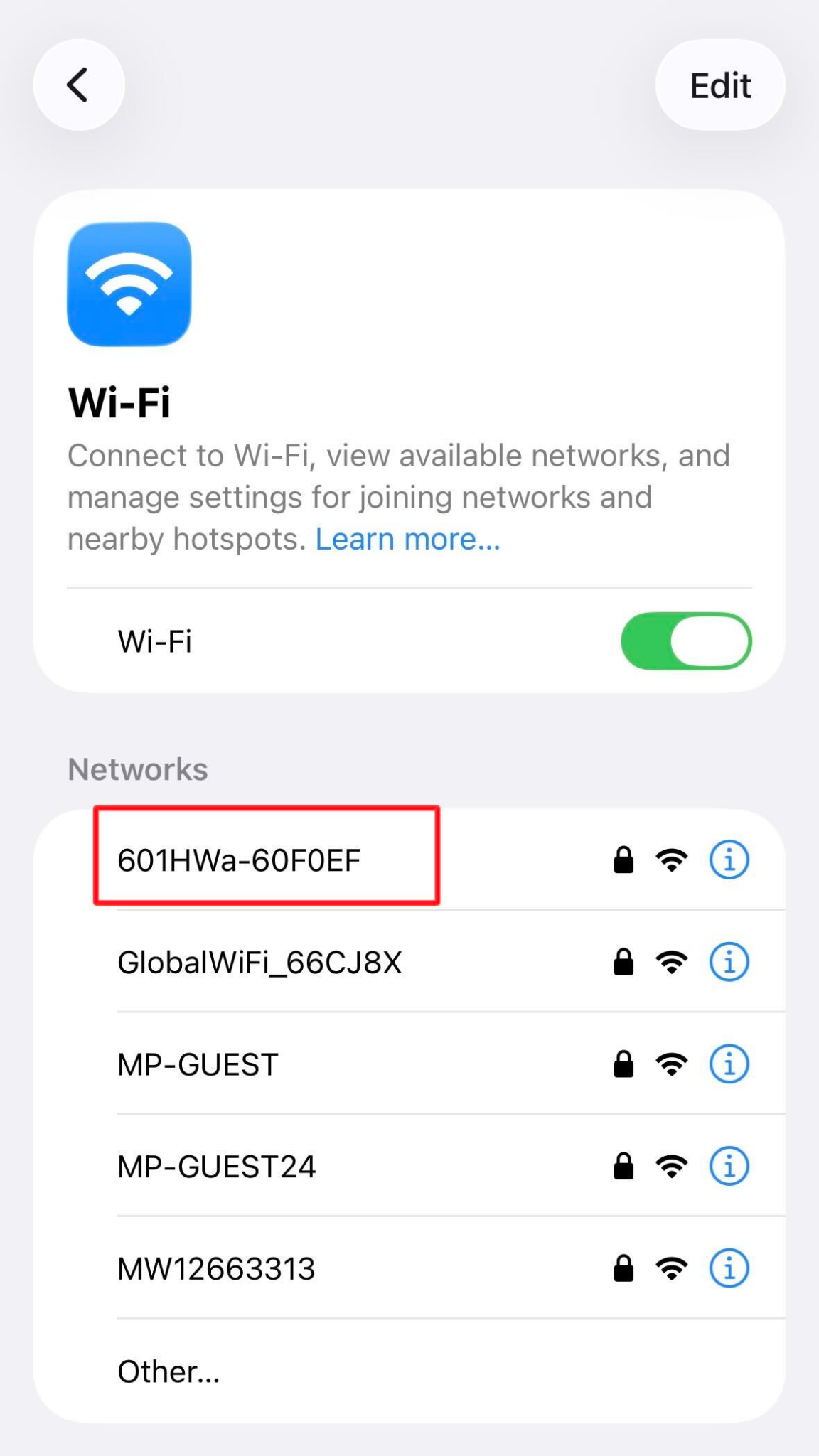
The screen that opens holds four lines: two Japanese headings, and the two values you need.
- WiFi名 (SSID A): the heading above your network name
- Your network name, for example 601HWa-60F0EF
- パスワード (セキュリティキー): the heading above your password
- Your password, e.g. 1234567a
Step 3: Connect Your Phone, Tablet, or Laptop to the Pocket WiFi
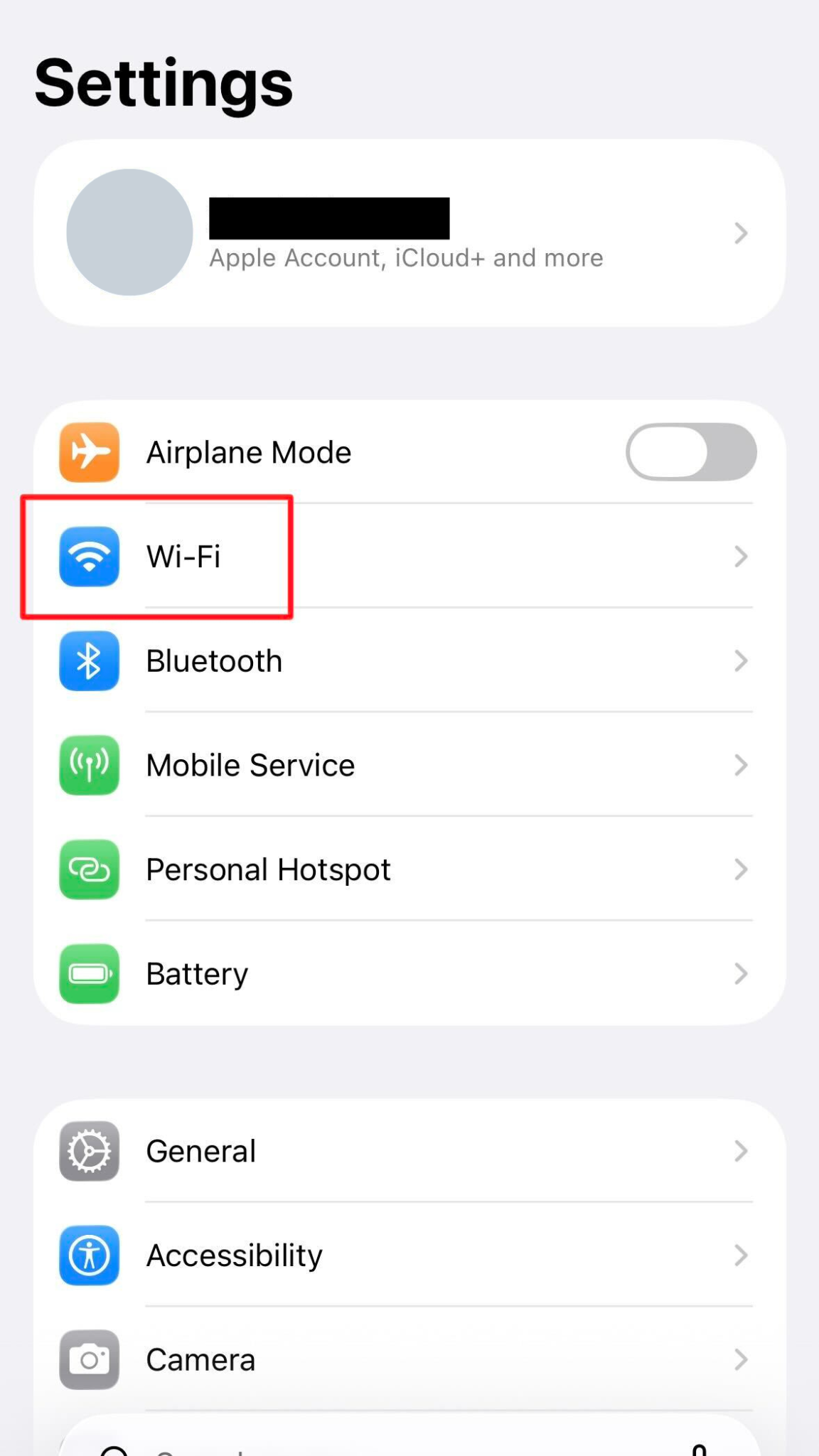
Open the WiFi settings on your phone, tablet, or laptop.
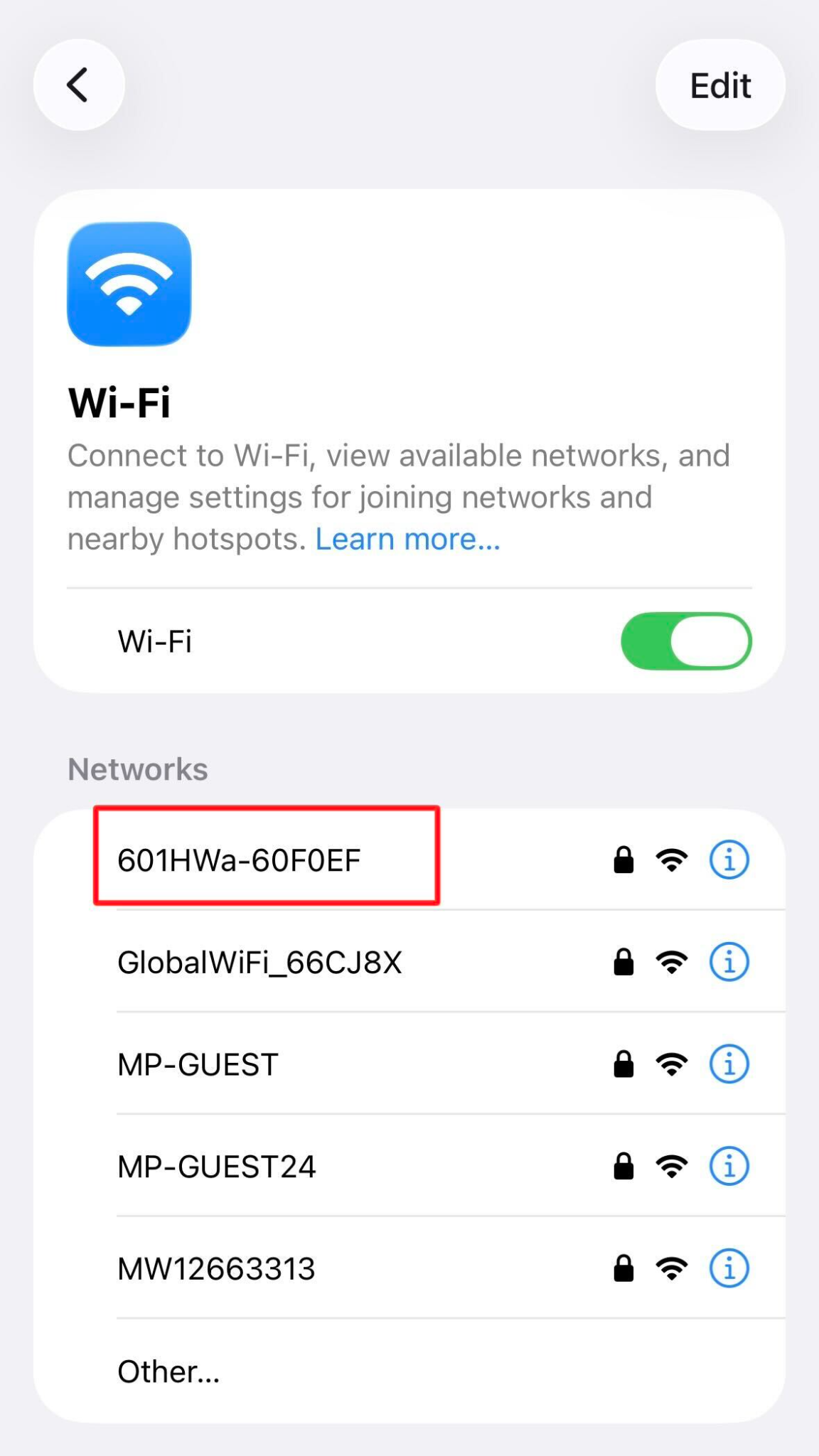
Find the network name that matches the SSID on the Pocket WiFi screen, select it, and type the password.
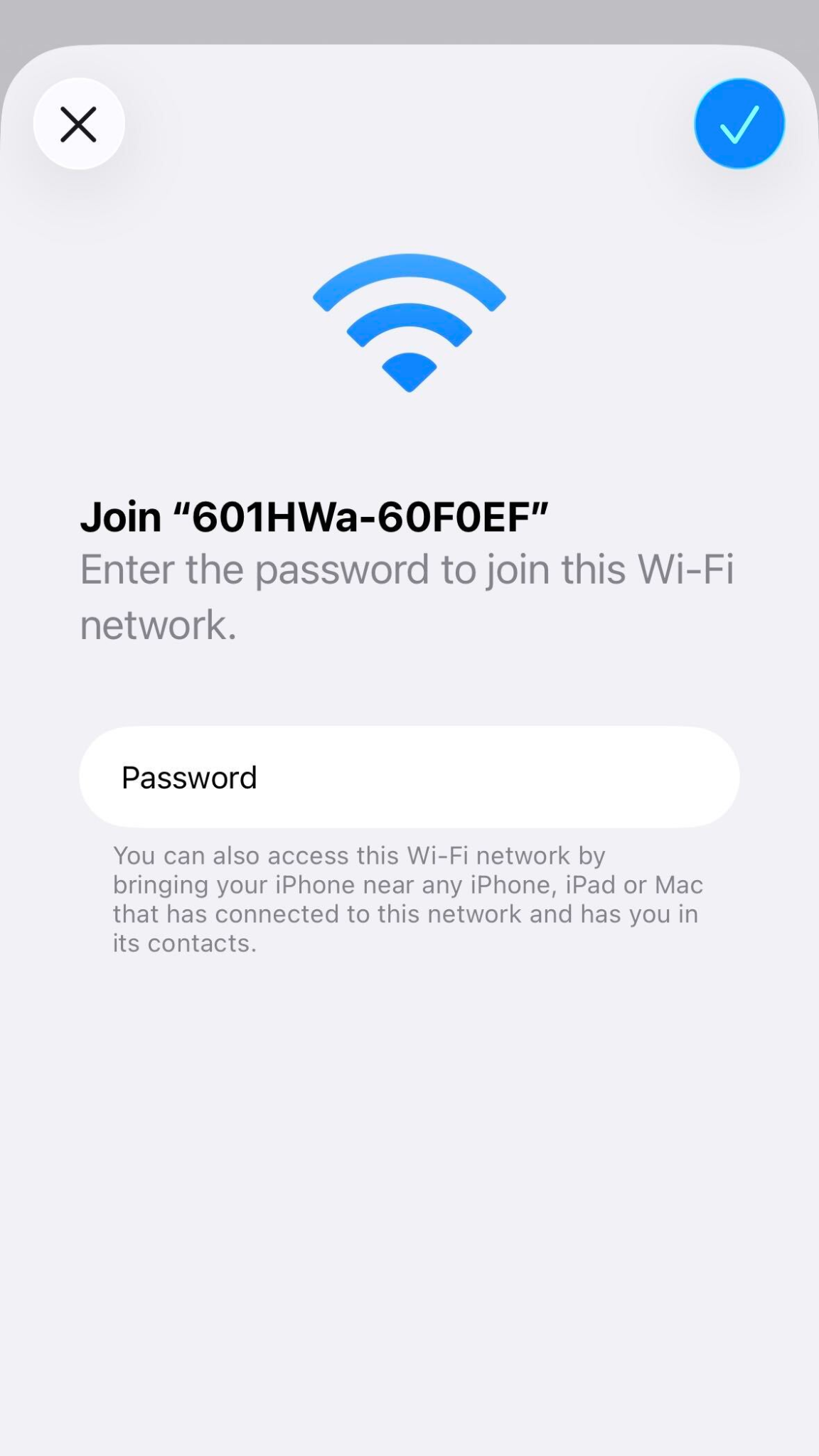
That is the whole setup. Your phone remembers the network and reconnects on its own whenever the Pocket WiFi is switched on and nearby. The same steps appear with photos on our Set Up Pocket WiFi page.
What to Do If the Pocket WiFi Screen Is in Japanese
You do not need to change the language to get online. The tiles keep the same colors and the same positions whatever the language is set to, so you can work by color and position instead of by reading.
What each tile does:
- Green, top left: data usage
- Purple, top middle: number of connected devices
- Orange, top right: messages from the network operator
- Blue, bottom left: quick setup
- Pink, bottom middle: WiFi name and password, the one you need
- Light blue, bottom right: settings
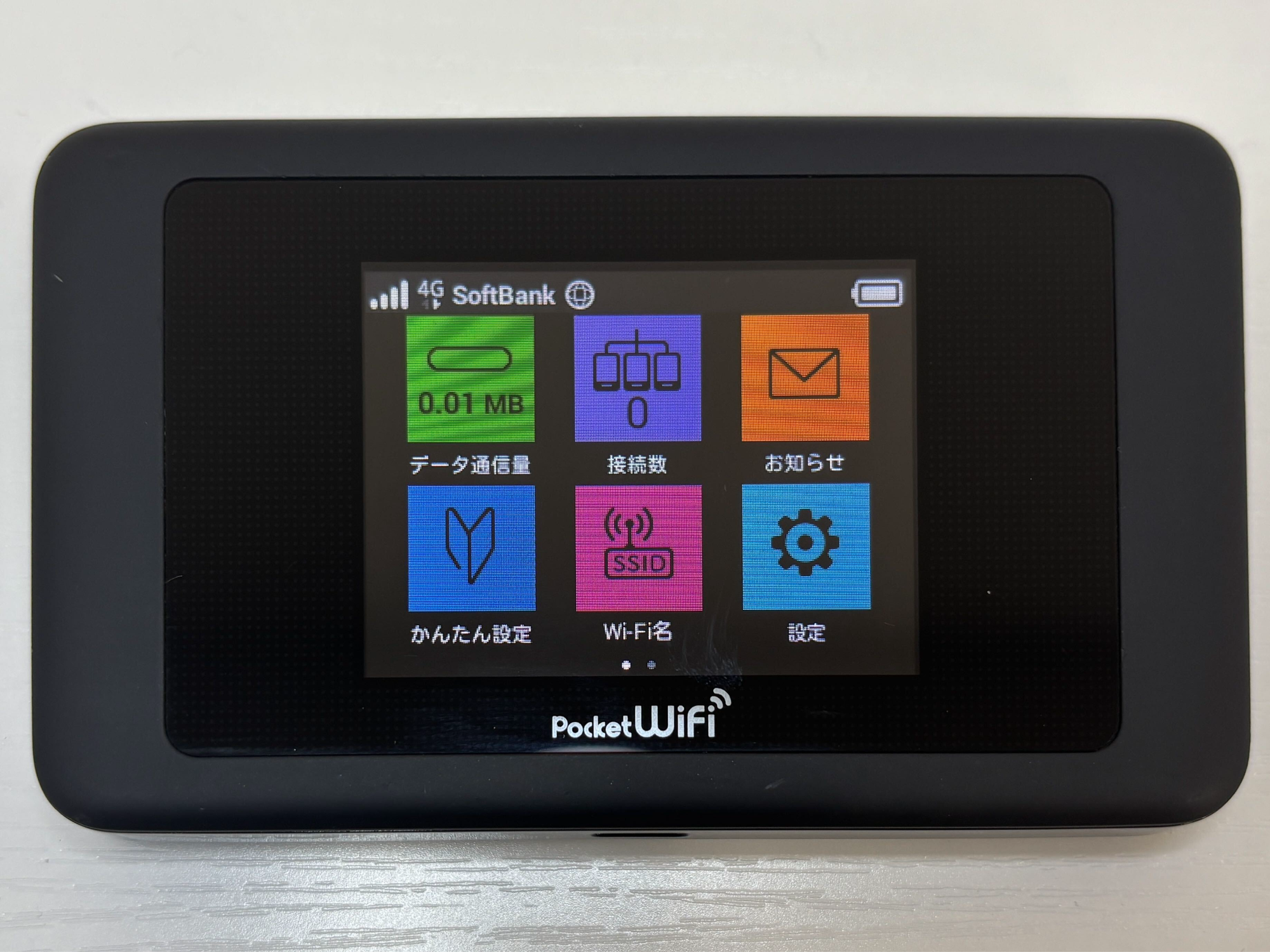
At the top of the screen is a status bar where you can check the signal strength, network name (SoftBank) and battery level.
How to Change the Pocket WiFi Settings to English
If you would rather read English, you can switch the display over.
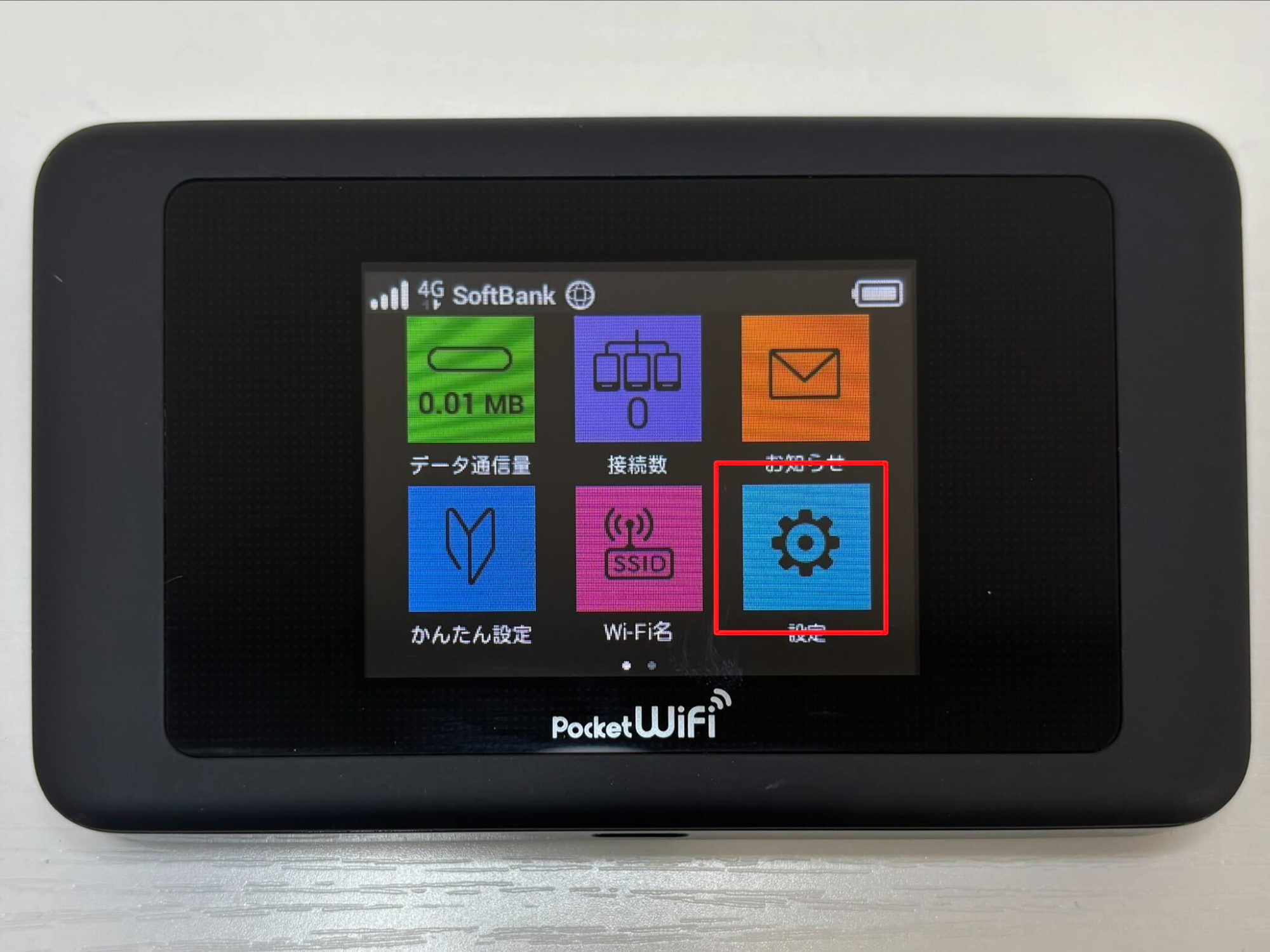
Tap the light blue settings tile in the bottom right corner of the menu.
Tap English.
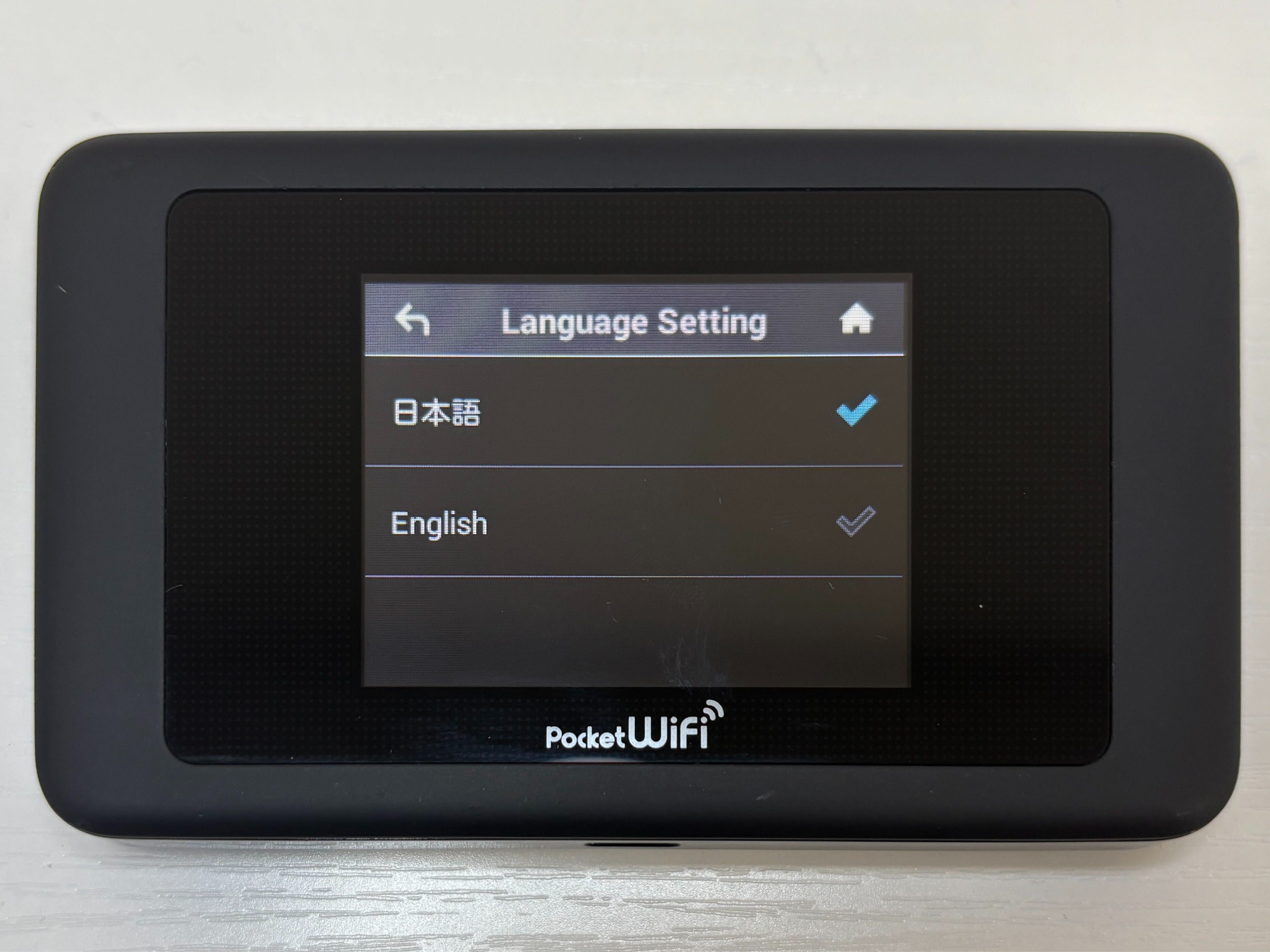
Tap Language Setting. That line stays in English even while the device is in Japanese, so it is easy to find.
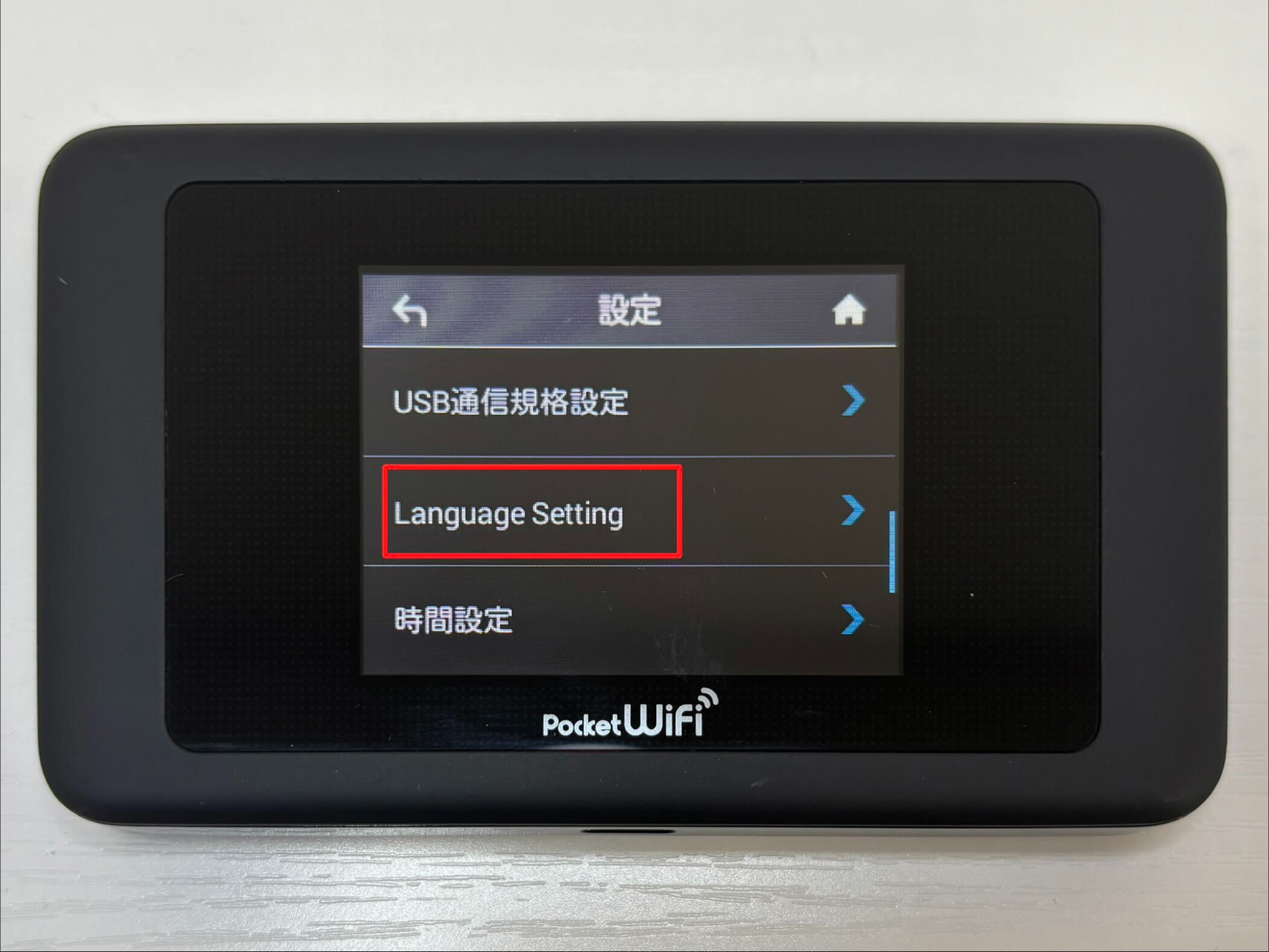
The change holds for the rest of your rental.
How to Check Your Data Usage on the Pocket WiFi Screen
The green tile in the top left corner of the menu is the data counter, and the figure sits on the tile itself.
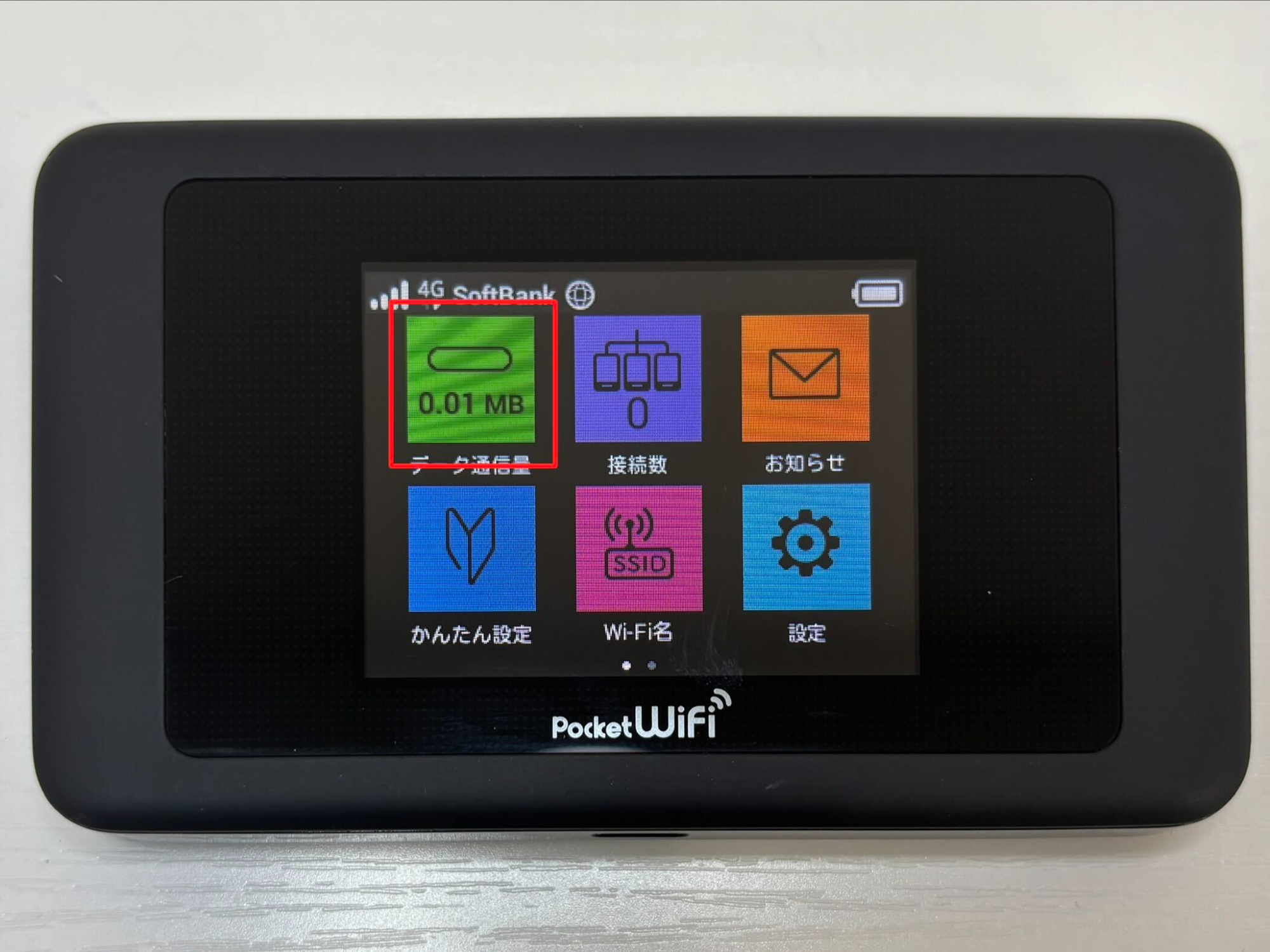
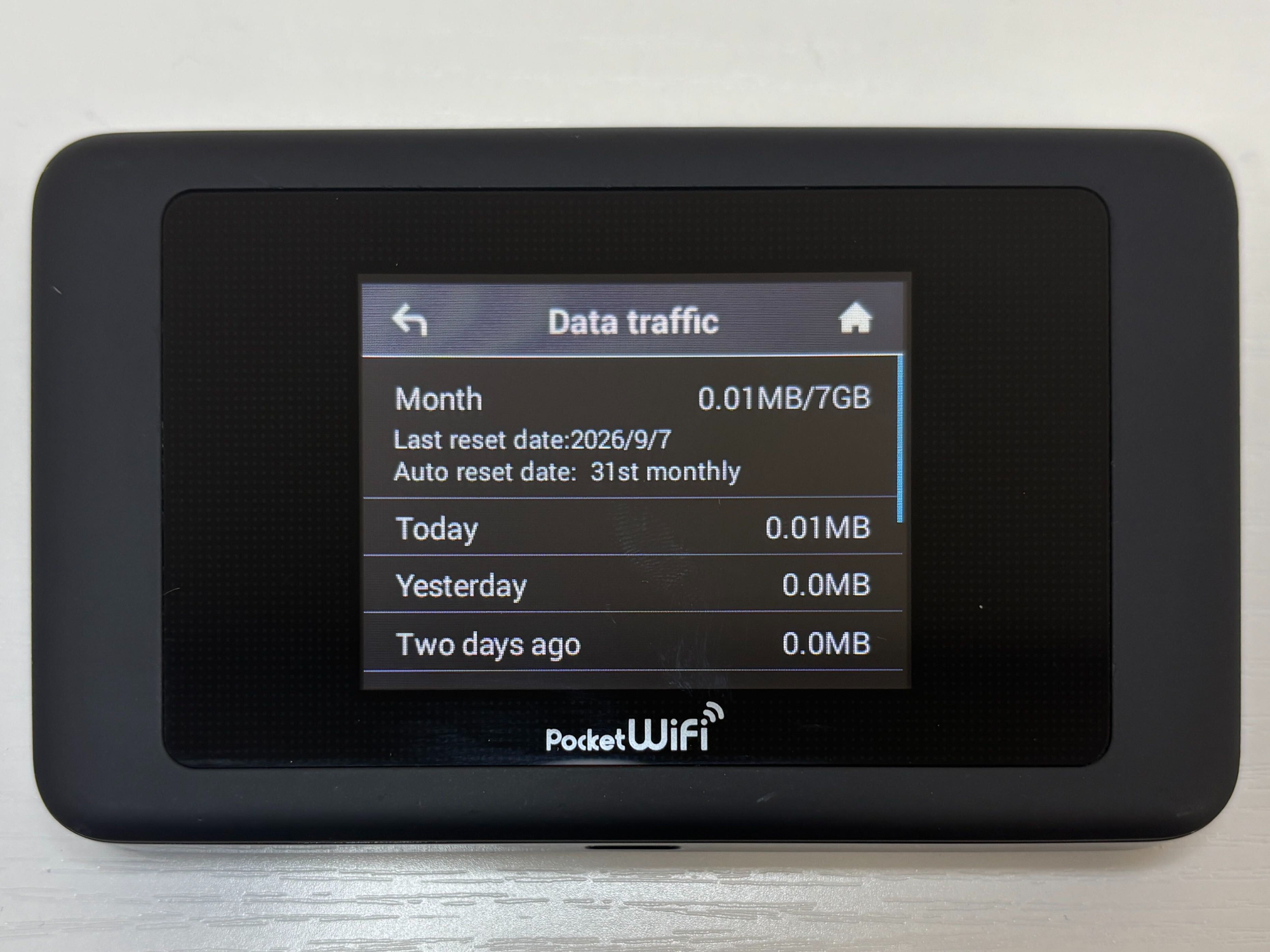
You can read it at a glance, with no app and no login. Tap the tile to open the Data traffic screen, which lists this month, today, yesterday, and the day before. Read the counter as data used, not data left.
Why the Pocket WiFi Screen Shows 7GB, and Why You Should Ignore It
The screen may read something like 0.01MB/7GB. That second number is a default setting built into the router. It is not the data included in your rental. The counter also resets on a fixed day each month, so the monthly total may not cover your whole rental.
Pocket WiFi, SIM Card, or eSIM in Japan: Which Should You Get?
If you’re planning to explore Japan with family or friends, a pocket WiFi device is the best option. With a pocket WiFi device, a large group can share a single connection. Even if you’re travelling alone—for example, taking your laptop with you on a business trip—you can share it across multiple devices. A SIM or eSIM is better suited to solo travellers who only need data on one phone.
The honest drawback is that a Pocket WiFi is one more thing in your bag. The router runs about eight hours of active use, so make sure you carry the power bank and charge both overnight.
Where to Get a Pocket WiFi in Japan: Why Rent from eConnect Japan
If you haven’t got a pocket Wi-Fi device yet, why not rent one from eConnect Japan to make your stay in Japan more comfortable? With our handy devices, you can use Google maps to discover wonderful tourist attractions, and keep in touch with family and friends, ensuring a stress-free trip. eConnect Japan is here to help you do just that.
- Our routers run on the SoftBank 4G and LTE network, which reaches more than 99% of the population in Japan.
- Up to 14 devices connect at once, so one rental covers a family or a small group.
- All orders come with a portable power bank for rental at no extra charge.
- We deliver to airports, hotels, guest houses, ryokan, post offices, and private addresses across Japan.
- Every order ships with a prepaid return envelope, so you can simply pop the item into any Post box anywhere in Japan (including at airports) to return it.
The plans and prices are on our Pocket WiFi rental page.
What Comes in Your Pocket WiFi Rental Package
A rental from eConnect Japan includes:
- Pocket WiFi router
- free rental power bank
- USB cable
- AC adapter
- prepaid return envelope
- instruction paper
- carrying case
Keep the return envelope somewhere safe. You need it at the end of your rental, and it already has our address and the postage on it.
How to Return Your Pocket WiFi in Japan
A Pocket WiFi is rented, so you have to send it back. This is the main difference between a Pocket WiFi and a prepaid SIM or eSIM, which you simply use up and discard.
Put every item back into the prepaid return envelope: the router, the power bank, the AC adapter, the cable, and the carrying case. Then drop the envelope into any red Japan Post box. Post boxes stand on street corners, in convenience stores, and in airport terminals.
Pocket WiFi in Japan: Frequently Asked Questions
Can I make phone calls or send text messages with a Pocket WiFi?
Not through the mobile network. A Pocket WiFi carries data only and has no phone number of its own. You can still call and message over the internet with apps such as WhatsApp, LINE, or FaceTime, and those calls draw on your data allowance like anything else.
Can I extend my Pocket WiFi rental in Japan?
Yes. Email us before your return date and we will arrange it.
Is rented Pocket WiFi safer than free public WiFi in Japan?
It is more private. Your Pocket WiFi network is password protected and carries only your own devices, while a free public hotspot is open to everyone in range. It does not encrypt what you send, though. Treat banking and other sensitive logins the same way you would at home.
Does it work outside the big cities?
Our devices use the SoftBank 4G and LTE network, which reaches more than 99% of the population. Population coverage is not the same as land coverage, so deep mountain areas can still have gaps.
How early should I order?
Order at least three days before your pick-up date. Later orders are possible, but pick-up locations may be limited and stock runs low in high season.
Book Your Pocket WiFi Before You Land in Japan
The setup is three steps and the return is one. None of it depends on reading Japanese, and none of it needs an app.
Choose your plan and pick-up point on our Pocket WiFi rental page. If you are traveling alone with one phone, our prepaid SIM and prepaid eSIM are lighter options with nothing to send back. Prices and plan details sit on those pages, so check them for the latest information before you book.